Best OCR Software in 2026: 8 Tools Compared
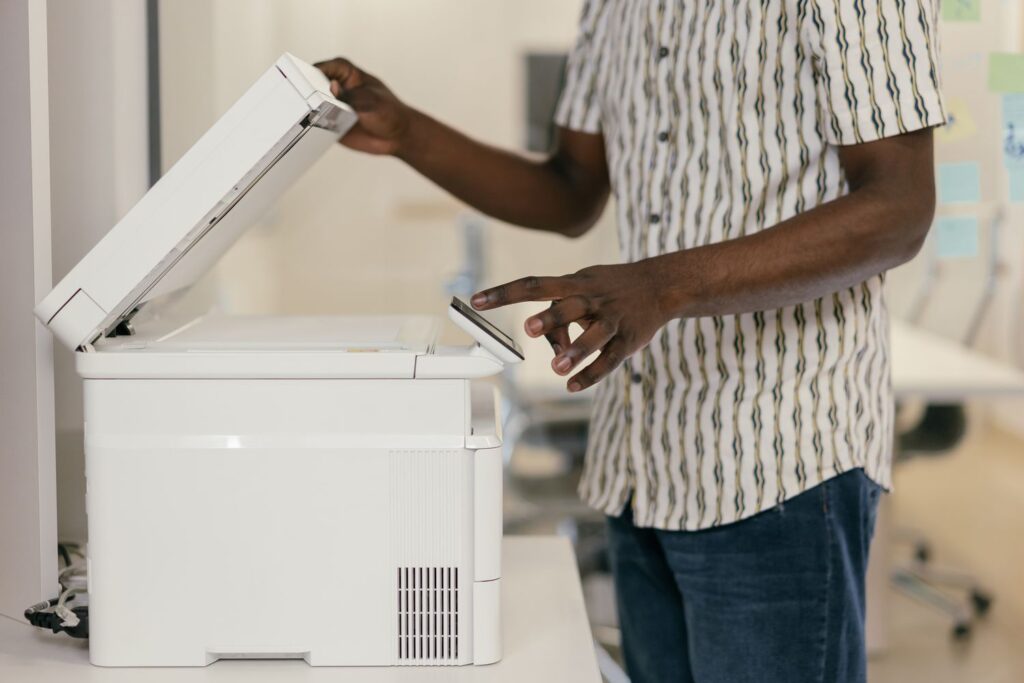
The best OCR software in 2026 depends on where you sit: ABBYY FineReader PDF remains the most accurate desktop suite, Adobe Acrobat Pro is the safest choice for teams already living in PDFs, Tesseract is the go-to open-source engine for developers, and the three cloud APIs — Google Document AI, Amazon Textract and Azure AI Document Intelligence — dominate large-scale, handwriting-heavy document pipelines. Readiris covers budget desktop users, and OCR.space handles quick jobs through a free API. Below we compare all eight on accuracy, language coverage, PDF and handwriting support, deployment model and pricing model.
Disclosure: this post may contain affiliate links. If you buy through them, we may earn a commission at no extra cost to you. It never influences our rankings.
- How we compared these OCR tools
- Comparison table: 8 best OCR software tools
- 1. ABBYY FineReader PDF — best overall desktop OCR
- 2. Adobe Acrobat Pro — best for PDF-centric workflows
- 3. Tesseract — best open-source OCR engine
- 4. Google Document AI — best for handwriting and complex documents
- 5. Amazon Textract — best for forms and tables on AWS
- 6. Azure AI Document Intelligence — best prebuilt models
- 7. Readiris PDF — best budget desktop OCR
- 8. OCR.space — best free online OCR and API
- Which OCR software should you choose?
- FAQ: best OCR software
How we compared these OCR tools
Optical character recognition has quietly become an AI problem. Modern engines no longer just match glyph shapes; they run transformer-based vision models that read layout, tables and handwriting in context — the same family of techniques we cover across our Language & Document AI section. That shift changes what "best" means, so we scored each tool on five criteria:
- Recognition accuracy on clean print, degraded scans and handwriting.
- Language support, including non-Latin scripts (CJK, Arabic, Cyrillic).
- PDF handling — searchable PDF output, layout retention, batch processing. For a deeper dive into that specific workflow, see our guide to OCR for PDFs.
- Deployment model — desktop app, self-hosted library or cloud API.
- Pricing model relative to the volume of documents you actually process.
One general rule emerged: desktop suites win for individuals converting a few hundred pages a month; cloud APIs win the moment you need to process thousands of documents, extract structured fields or read handwriting at scale.
Comparison table: 8 best OCR software tools
| Tool | Best for | Deployment | Pricing model |
|---|---|---|---|
| ABBYY FineReader PDF | Highest desktop accuracy, multilingual scans | Desktop (Win/Mac) | Subscription (annual, per edition) |
| Adobe Acrobat Pro | PDF-centric teams and workflows | Desktop + cloud | Subscription (monthly or annual) |
| Tesseract | Developers, open source, self-hosting | Library/CLI (self-hosted) | Free |
| Google Document AI | Handwriting and complex layouts at scale | Cloud API | Usage-based (per page) |
| Amazon Textract | Forms and tables inside AWS pipelines | Cloud API | Usage-based (per page) |
| Azure AI Document Intelligence | Prebuilt models (invoices, receipts, IDs) | Cloud API + container | Usage-based (per page) |
| Readiris PDF | Budget one-time desktop license | Desktop (Win/Mac) | One-time license (per edition) |
| OCR.space | Quick jobs and free API access | Web + cloud API | Free tier; paid PRO plans |
Pricing models and tiers vary by vendor and change often — always verify current plans and rates on the vendor's site before buying.
1. ABBYY FineReader PDF — best overall desktop OCR
ABBYY has been the accuracy benchmark in OCR for two decades, and FineReader PDF is still the tool we would hand to anyone who needs the highest-quality text out of imperfect scans. Its recognition engine handles skewed pages, low-contrast photocopies and mixed-language documents better than any other desktop product we tested, and it supports roughly 190–200 recognition languages, including Chinese, Japanese, Korean, Arabic and Cyrillic scripts.
Beyond raw OCR, FineReader is a full PDF suite: it converts scans into searchable PDFs, editable Word/Excel files and even compares two document versions to flag differences. Layout retention is excellent — multi-column pages, tables and headers survive conversion largely intact. Handwriting support is limited to neat block print (ICR), so cursive notes are better sent to a cloud API.
Deployment is desktop-only (Windows and Mac), with a Hot Folder batch-processing mode in the Corporate edition. Pricing is subscription-based, with separate annual plans for the Standard and Corporate editions — see ABBYY's pricing page for current tiers, as regional pricing varies. If your work is "scan in, accurate editable document out," this is the safest money you can spend.
2. Adobe Acrobat Pro — best for PDF-centric workflows
If your organisation already runs on PDFs, Adobe Acrobat Pro is the path of least resistance. Its built-in OCR ("Recognize Text") turns scanned PDFs into searchable, selectable documents in a couple of clicks, and the results on clean print are very good — not quite ABBYY-level on degraded scans, but more than adequate for office documents.
Acrobat's strength is everything around the OCR: editing recognised text directly in the PDF, redaction, e-signatures, form creation and cloud sync across desktop, web and mobile. The AI Assistant added in recent versions can also summarise and answer questions about the recognised document, which is genuinely useful for long contracts and reports.
Language support covers the major business languages (around 20+ OCR languages), which is narrower than ABBYY. Handwriting recognition is not a real feature. Pricing is subscription-only, billed monthly on an annual plan. You are paying for the ecosystem rather than the best engine — a fair trade if PDFs are your daily medium, overkill if you only need occasional text extraction.
3. Tesseract — best open-source OCR engine
Tesseract is the engine that powers half the OCR features you've used without knowing it. Originally developed at HP and later maintained with Google's support, it is free, open source (Apache 2.0), and runs anywhere — Linux, Windows, Mac, Docker, Raspberry Pi. Since version 4 it uses an LSTM neural network engine, and it officially supports 100+ languages with downloadable trained models.
For developers, the appeal is total control: no per-page fees, no data leaving your infrastructure, and bindings for every major language (pytesseract for Python, for example). Accuracy on clean, well-scanned print is competitive with commercial tools. The gap appears with messy input: skewed photos, complex layouts and handwriting drag results down fast unless you invest in pre-processing (deskewing, binarisation, denoising) with OpenCV or similar.
There is no GUI and no support contract — this is a component, not a product. If you are building a document pipeline that feeds downstream NLP tasks such as named entity recognition, Tesseract plus a good pre-processing stage is the standard self-hosted starting point, and the price is unbeatable: free.
4. Google Document AI — best for handwriting and complex documents
Google Document AI wraps Google's vision and language models into a document-processing API, and its Enterprise Document OCR processor is arguably the most accurate general-purpose engine available today. It reads 200+ languages in print and handles handwriting in ~50 languages — clearly ahead of desktop tools and, in our experience, the best of the big three clouds on cursive and mixed print/handwriting pages.
Beyond plain OCR, specialised processors extract structured data: the Form Parser pulls key-value pairs and tables, the Layout Parser chunks documents for RAG pipelines, and pretrained extractors exist for invoices and other common types. Everything is API-first — you send PDFs or images, you get JSON back with text, coordinates and confidence scores.
Pricing is usage-based and billed per page: Enterprise Document OCR is priced per 1,000 pages processed, while structured processors like Form Parser cost more per page — see Google Cloud's Document AI pricing page for current rates, as tiers change. There is no desktop app, and you need developer resources to use it. For high-volume digitisation projects with messy, handwritten or multilingual input, it is the strongest engine on this list.
5. Amazon Textract — best for forms and tables on AWS
Amazon Textract is AWS's managed OCR and document-analysis service, and its differentiator is structure: rather than returning a wall of text, it identifies forms (key-value pairs), tables with cell geometry, signatures and even answers natural-language queries about a document ("What is the invoice total?").
Print accuracy is strong, and handwriting recognition works well for English and a handful of Latin-script languages — noticeably narrower language coverage than Google or Azure, which is Textract's main weakness for multilingual work. Where it shines is integration: if your documents already land in S3 and your stack runs Lambda and Step Functions, wiring Textract into an automated pipeline (with A2I for human review of low-confidence fields) takes very little glue code.
Pricing is pay-per-page: basic text detection is the cheapest tier, while table and form analysis cost substantially more per page — see AWS's Textract pricing page for current rates by region. Choose Textract when structured extraction inside AWS matters more than maximum language breadth.
6. Azure AI Document Intelligence — best prebuilt models
Azure AI Document Intelligence (formerly Form Recognizer) is Microsoft's answer, and its standout feature is the catalogue of prebuilt models: invoices, receipts, identity documents, health insurance cards, tax forms, contracts and more work out of the box, returning clean structured fields without any training.
The underlying Read engine supports print OCR in 160+ languages and handwriting in a growing set (English plus several major languages), with solid accuracy on both. Custom models let you train field extraction on your own document types with a few labelled samples, and — uniquely among the big three — Document Intelligence can run in Docker containers on-premises, which matters for regulated industries that cannot send documents to the cloud.
Pricing follows the same pattern as its rivals: it's usage-based per page, with the Read tier priced lower than the prebuilt models, and volume discounts available — see Azure's Document Intelligence pricing page for current rates. If your documents match one of the prebuilt types, or you need containerised on-prem OCR with enterprise support, Azure is the pragmatic pick.
7. Readiris PDF — best budget desktop OCR
Readiris, from IRIS (a Canon company), is the value alternative to FineReader for people who dislike subscriptions. It converts scans and images into searchable PDFs, Word, Excel and even audio files, supports around 130+ recognition languages, and includes PDF editing, annotation and batch conversion in its higher tiers.
Accuracy on clean and moderately degraded print is good — a step behind ABBYY on difficult scans and complex layouts, but comfortably ahead of free tools without pre-processing. Handwriting is not meaningfully supported. The interface feels dated compared with Acrobat, though recent versions have modernised it considerably.
The key argument is the licence: Readiris PDF is sold as a one-time purchase, with the price depending on edition and ongoing promotions — see IRIS's Readiris page for current pricing, as the company discounts aggressively. For a home office or small business that digitises documents regularly but doesn't want another monthly fee, it hits a sweet spot that few competitors still serve.
8. OCR.space — best free online OCR and API
OCR.space covers the remaining use case: you need OCR right now, in a browser or via a simple REST call, without installing anything. The web tool converts images and PDFs instantly, and the free API tier allows around 25,000 requests per month (with file-size and pages-per-PDF limits) — generous enough for prototypes, low-volume automations and personal projects.
Recognition quality on clean print is respectable across ~25+ languages, with two engine options and a searchable-PDF output mode. It will not match the cloud giants on handwriting or complex layouts, and you should not send confidential documents to any free online OCR service — that caveat applies to this whole category.
PRO plans (billed monthly or annually) raise rate limits, add larger files and offer dedicated endpoints with uptime guarantees. As a zero-friction entry point to OCR — or a lightweight API for a side project — it earns its slot on this list. Verify current limits and pricing on the vendor's site, as the free tier's terms change periodically.
Which OCR software should you choose?
Match the tool to your volume and input type:
- Individual or small office, mixed scans: ABBYY FineReader PDF for accuracy, or Readiris if you want a one-time licence.
- You live in PDFs and need editing, signing, forms: Adobe Acrobat Pro.
- Developer building a pipeline, data must stay in-house: Tesseract (or Azure's container option if you need enterprise support).
- High volume, handwriting, 100+ languages: Google Document AI.
- Forms and tables inside an AWS stack: Amazon Textract.
- Invoices, receipts, IDs out of the box: Azure AI Document Intelligence.
- Occasional quick jobs, free API: OCR.space.
Remember that OCR is usually the first stage of a longer chain: once text is extracted, it typically flows into search indexes, entity extraction or translation. If your documents cross languages after recognition, our comparison of the best machine translation software covers the logical next step in that pipeline.
FAQ: best OCR software
What is the most accurate OCR software in 2026?
For desktop use, ABBYY FineReader PDF still delivers the best accuracy on difficult scans and multilingual print. For cloud processing — especially handwriting and complex layouts — Google Document AI's Enterprise Document OCR is the strongest general-purpose engine, with Azure AI Document Intelligence and Amazon Textract close behind on printed text.
Is there good free OCR software?
Yes. Tesseract is a mature, free open-source engine supporting 100+ languages, ideal if you can work from a command line or code. For non-technical users, OCR.space offers a capable free web tool and API, and the cloud providers all include small free monthly page allowances (typically the first 500–1,000 pages).
Can OCR software read handwriting?
Modern cloud engines can, within limits. Google Document AI recognises handwriting in around 50 languages, and Amazon Textract and Azure AI Document Intelligence handle English handwriting well. Neat block print works far better than cursive, and desktop tools like FineReader or Readiris are not designed for handwriting at all.
Should I use an OCR API or desktop software?
It comes down to volume and integration. Desktop software makes sense below a few thousand pages per month, when a human is in the loop and documents are handled one at a time. An API makes sense when OCR is part of an automated workflow, volumes are high or spiky, or you need structured output (tables, key-value pairs) feeding databases or downstream AI models.
Recommended: