Google Coral TPU: Is It Discontinued? Specs and Alternatives
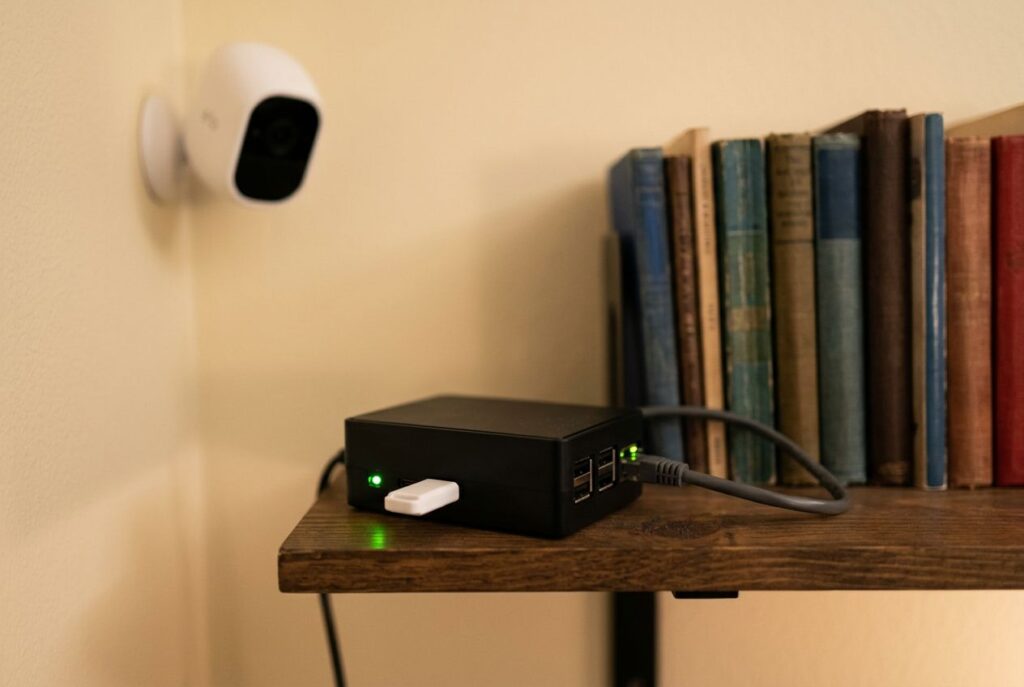
The Google Coral TPU is a family of edge AI accelerator boards built around Google's Edge TPU, a small ASIC that runs quantized TensorFlow Lite models at up to 4 trillion operations per second while drawing about 2 watts. It shipped as a USB stick, as M.2 and Mini PCIe cards, and as a full single-board computer, and for years it was the default way to add fast, low-power object detection to a Raspberry Pi. That default has shifted: Google is no longer actively developing the product line. This guide covers what the Coral TPU actually is, which form factor fits which project, exactly how discontinued it is, and whether a Hailo accelerator or an NVIDIA Jetson makes more sense if you're starting fresh.
- What the Google Coral TPU actually is
- Form factors: USB, M.2, Mini PCIe, and the Dev Board
- Is the Google Coral TPU discontinued?
- Software and driver status
- Coral vs. Hailo vs. Jetson Orin Nano for a new project
- Should you still buy a Coral TPU today?
- Frequently asked questions about the Google Coral TPU
- Is the Google Coral TPU discontinued?
- How much does a Coral TPU cost?
- Is a Coral TPU necessary for Frigate?
- What's the difference between the Coral USB Accelerator and the Coral Dev Board?
- What machine learning frameworks does the Coral Edge TPU support?
- Is the Coral TPU or a Hailo accelerator better for a new project?
What the Google Coral TPU actually is
The Edge TPU is a small application-specific integrated circuit (ASIC) that Google designed to run machine learning inference on low-power devices. According to Google's own Edge TPU documentation, a single Edge TPU chip performs up to 4 trillion fixed-point operations per second (4 TOPS) while consuming about 2 watts, and it can run a model such as MobileNet V2 at close to 400 frames per second. That efficiency comes with a hard limit: the Edge TPU supports exactly one framework, TensorFlow Lite, and only models that have been quantized to 8-bit integers, either through quantization-aware training or full integer post-training quantization, then compiled for the chip with the Edge TPU Compiler. It is built for convolutional, feed-forward vision models — object detection, classification, pose estimation — not for language models or anything that needs floating-point precision.
It's also not a training chip. Google's documentation is explicit that the Edge TPU can perform some accelerated learning, but only by retraining the final layer of an already-compiled model, using either backpropagation on that last layer or weight imprinting for small-dataset classification. Training a model from scratch, or fine-tuning anything deeper than the last layer, still happens elsewhere. If your project needs actual training throughput rather than inference, that's a different piece of hardware — see our guide to the best GPUs for deep learning.
Form factors: USB, M.2, Mini PCIe, and the Dev Board
Google built the same Edge TPU chip into several physical products, so choosing a form factor is mostly a question of how you want to connect it to your system.
USB Accelerator
The Coral USB Accelerator is the simplest option: an external module that plugs into any Linux-based host over USB, ideally USB 3.0 for full throughput. Google's documentation describes it as an accessory that adds the Edge TPU as a coprocessor to a system you already own, with no PCIe slot or extra driver compilation required — which is why it became the default choice for Raspberry Pi object-detection projects.
Disclosure: this article contains affiliate links. If you buy through them we may earn a small commission at no extra cost to you.

- A USB accessory that brings machine learning inferencing to existing systems. Works with Raspberry Pi and other Linux systems
- Performs high-speed ML inferencing: the on-board edge TPU Coprocessor is capable of performing 4 trillion operations (tera-operations) per second (tops), using 0.5 watts for each tops (2 tops per watt). For example, it can execute state-of-the-art mobile vision models such as mobilenet V2 AT 400 FPS, in a power efficient manner
- Works with Debian Linux: connects to any debian-based Linux system with an included USB 3.0 Type-C cable
- Supports tensorflow Lite: no need to build models from the ground up. Tensorflow Lite models can be compiled to run on the edge TPE
- Supports automl vision edge: easily build and deploy fast, high-accuracy custom image classification models to your device with automl vision edge
- Ml Accelerator: Google edge TPU Coprocessor
M.2 and Mini PCIe accelerators
For projects with a PCIe slot and no spare USB port, the same Edge TPU ships as M.2 cards in two key layouts — A+E key and B+M key — as a Mini PCIe card, and as a dual-chip M.2 module for higher throughput. These integrate more tightly into a build than a USB dongle, at the cost of needing a working PCIe driver on the host, which is the part that has gotten harder on newer Linux kernels (more on that below).


- Performs high-speed ML inferencing: The on-board Edge TPU coprocessor is capable of performing 4 trillion operations (tera-operations) per second (TOPS), using 0.5 watts for each TOPS (2 TOPS per watt). For example, it can execute state-of-the-art mobile vision models such as MobileNet v2 at 400 FPS, in a power efficient manner.
- Works with Debian Linux: Integrates with any Debian-based Linux system with a compatible card module slot.
- Supports TensorFlow Lite: No need to build models from the ground up. TensorFlow Lite models can be compiled to run on the Edge TPU.
- Supports AutoML Vision Edge: Easily build and deploy fast, high-accuracy custom image classification models to your device with AutoML Vision Edge.

- 64-bit version of Debian 10 or Ubuntu 16.04 (or newer)
- x86-64 or ARMv8 system architecture
- 64-bit version of Windows 10
- x86-64 system architecture
Accelerator Module and Dev Board
At the two extremes, Google also sells a bare Accelerator Module for custom hardware designs — a 10 x 15 mm surface-mount part with its own PCIe Gen 2 and USB 2.0 interface, meant to be soldered directly onto a custom PCB — and the Coral Dev Board, a complete single-board computer. Per the official Dev Board datasheet (version 1.7), it pairs an NXP i.MX 8M SoC (a quad-core Arm Cortex-A53 plus a Cortex-M4F) with the Edge TPU, Wi-Fi 802.11ac, Bluetooth 4.2, and 8 or 16 GB of eMMC storage. Unlike the USB and card accessories, the Dev Board's Edge TPU sits on a removable System-on-Module, so it can also be pulled off and integrated into a custom carrier board later.

- A development board to quickly prototype on-device ML products. Scale from prototype to production with a removable system-on-module (som)
- Performs high-speed ML inferencing: the on-board edge TPU Coprocessor is capable of performing 4 trillion operations (tera-operations) per second (tops), using 0.5 watts for each tops (2 tops per watt). For example, it can execute state-of-the-art mobile vision models such as mobilenet V2 AT 400 FPS, in a power efficient manner
- Provides a complete system: a Single-board computer with SoC plus ML plus wireless connectivity, all on the board running a derivative of Debian Linux We call Mendel, so you can run your favorite Linux tools with this board
- Supports tensorflow Lite: no need to build models from the ground up. Tensorflow Lite models can be compiled to run on the edge TPE
- Supports automl vision edge: easily build and deploy Fast, high-accuracy custom image Classification models to your device with automl vision edge
- Scale from prototype to production: considers your manufacturing needs. The som can be removed from the baseboard, ordered in Bulk, and integrated into your hardware
Is the Google Coral TPU discontinued?
Google hasn't published a formal discontinuation notice, but every downstream signal points the same way. The official google-coral/edgetpu GitHub repository — home to the Edge TPU runtime and the PyCoral library — shows a repository-archived notice stating it was archived by its owner on April 19, 2026, and is now read-only: no further commits, issues, or releases. The coral.ai marketing site has also been rebuilt around a different, newer initiative. Today it describes Coral as "a full stack platform for Edge AI" centered on an open, RISC-V-based hardware architecture and an MLIR compiler toolchain aimed at chip designers building custom silicon — a different audience from the hobbyists and small-batch integrators who used to buy the USB stick or the Dev Board directly from Google. The individual product datasheets are still reachable on the same domain, but the storefront that used to sell the boards is gone.
Independent reporting reaches the same conclusion from the user side. Coverage from XDA-Developers in July 2026 found that Google stopped actively supporting the original Coral lineup and that most of the required libraries haven't been updated since 2022. That doesn't mean existing hardware stops working: the Edge TPU runtime and the TensorFlow Lite delegate are open source, and Frigate NVR's own hardware documentation confirms it will keep supporting the Coral TPU for as long as that stays practical, since it remains one of the most power-efficient ways to run object-detection models. What has changed is that nobody is shipping new drivers or new releases, and — as covered next — the driver situation on current Linux kernels has gotten harder rather than easier.
Software and driver status
The framework limitation hasn't changed: TensorFlow Lite only, and only int8-quantized models compiled with the Edge TPU Compiler. There is no supported path to run a PyTorch, ONNX, or floating-point model on the Edge TPU without first converting and quantizing it into that format, and nothing has replaced the old PyCoral and Edge TPU Python APIs — both are frozen at their last released versions.
The bigger practical obstacle is the driver for the PCIe-connected variants (the M.2 and Mini PCIe cards, plus the Dev Board's onboard chip). It depends on a kernel module called GASKET, and reporting from XDA-Developers found it is not supported on current mainline Linux kernels, so getting a PCIe Coral running on a recent distribution now means building a community-maintained driver instead of installing an official package. Frigate's hardware documentation points administrators toward the community gasket-builder project for exactly this reason. The USB Accelerator sidesteps the problem because it talks to the host over a standard USB interface rather than a kernel driver tied to a specific PCIe implementation, which is one reason it has aged better than the card-based options.
Coral vs. Hailo vs. Jetson Orin Nano for a new project
If you're starting a project today rather than reusing hardware you already own, the real question isn't which Edge TPU variant to buy — it's whether the Edge TPU architecture still makes sense at all. Here's how it compares, on specs each vendor publishes directly, against a Hailo-8L (the chip in Raspberry Pi's AI HAT+), a Hailo-8, and NVIDIA's Jetson Orin Nano Super:
| Accelerator | Peak performance | Typical power | Framework support | Maintenance status |
|---|---|---|---|---|
| Coral Edge TPU | 4 TOPS (int8) | ~2 W | TensorFlow Lite (int8) only | Runtime and libraries no longer updated by Google; GitHub repo archived |
| Hailo-8L (in Raspberry Pi AI HAT+) | 13 TOPS | ~1.5 W | Hailo's own compiler/runtime, imports from common frameworks | Actively maintained; current Raspberry Pi accessory |
| Hailo-8 | 26 TOPS | Fully integrated on-chip memory, no external DRAM required | Same Hailo toolchain | Actively maintained |
| Jetson Orin Nano Super | Up to 67 TOPS (sparse INT8) | Configurable | Full CUDA/TensorRT stack; any framework that exports to ONNX or TensorRT | Actively maintained; full GPU-class generality |
The gap is about more than raw TOPS. Coral's toolchain only ever accepted one narrow class of pre-quantized TensorFlow Lite vision models, and that hasn't changed since the software stopped receiving updates. Hailo's compiler is newer and takes models from a broader set of frameworks, and it's what actually ships inside current Raspberry Pi hardware rather than a discontinued side product — our Raspberry Pi AI HAT+ vs. Jetson comparison covers that trade-off in more detail. A Jetson Orin Nano goes further still: it's a full CUDA-capable GPU, so it isn't locked into a single 8-bit vision workload, and it can also handle the language and multimodal models that an Edge TPU was never designed to run — see the complete specs and setup steps in our Jetson Orin Nano guide.
Should you still buy a Coral TPU today?
There are a few situations where it still makes sense:
- You already own one. The hardware still works, TensorFlow Lite inference still runs, and Frigate and similar projects still support it. There's no reason to rip out a working setup.
- You're scaling an existing Coral-based deployment. A single Edge TPU can handle a limited number of camera streams before it saturates; adding a second Coral unit is a smaller change than switching an entire pipeline to a different accelerator architecture.
- Your power budget is genuinely tighter than 2 watts. Hailo-8L comes close at around 1.5 W typical, but if your design is built around USB bus power and a strict low-power envelope, the USB Accelerator's simplicity can still be the pragmatic choice.
Outside those cases, a new project is better served by hardware that's still receiving updates. If a USB Accelerator or M.2 module genuinely fits what you're building, here's a current, automatically refreshed snapshot of what's listed for it:
- A USB accessory that brings machine learning inferencing to existing systems. Works with Raspberry Pi and other Linux systems
- Performs high-speed ML inferencing: the on-board edge TPU Coprocessor is capable of performing 4 trillion operations (tera-operations) per second (tops), using 0.5 watts for each tops (2 tops per watt). For example, it can execute state-of-the-art mobile vision models such as mobilenet V2 AT 400 FPS, in a power efficient manner
- Works with Debian Linux: connects to any debian-based Linux system with an included USB 3.0 Type-C cable
- Supports tensorflow Lite: no need to build models from the ground up. Tensorflow Lite models can be compiled to run on the edge TPE
- Supports automl vision edge: easily build and deploy fast, high-accuracy custom image classification models to your device with automl vision edge
- Ml Accelerator: Google edge TPU Coprocessor


- A USB accessory that brings machine learning inferencing to existing systems. Works with Raspberry Pi and other Linux systems
- Performs high-speed ML inferencing: the on-board edge TPU Coprocessor is capable of performing 4 trillion operations (tera-operations) per second (tops), using 0.5 watts for each tops (2 tops per watt). For example, it can execute state-of-the-art mobile vision models such as mobilenet V2 AT 400 FPS, in a power efficient manner
- Works with Debian Linux: connects to any debian-based Linux system with an included USB 3.0 Type-C cable
- Supports tensorflow Lite: no need to build models from the ground up. Tensorflow Lite models can be compiled to run on the edge TPE
- Supports automl vision edge: easily build and deploy fast, high-accuracy custom image classification models to your device with automl vision edge
- Ml Accelerator: Google edge TPU Coprocessor
And if the plan is to pair whichever accelerator you land on with a Raspberry Pi 5, our list of Raspberry Pi 5 projects has ideas that go beyond a single object-detection demo. For a broader shortlist of current Pi-compatible accelerator kits, see our Raspberry Pi AI kits buying guide.
Frequently asked questions about the Google Coral TPU
Is the Google Coral TPU discontinued?
Google hasn't issued a formal discontinuation announcement, but it has stopped active development. The GitHub repository for the Edge TPU runtime and PyCoral was archived (read-only) on April 19, 2026, the coral.ai site now centers on an unrelated custom-silicon platform, and the core libraries haven't been updated in years. Existing units keep working and remain community-supported, but there's no active Coral product roadmap from Google.
How much does a Coral TPU cost?
There's no current official price, since Google is no longer the direct seller of these boards. What a USB Accelerator, M.2 card, or Dev Board costs now depends entirely on which distributor or listing you're buying from, so check current listings rather than assuming an older price still applies.
Is a Coral TPU necessary for Frigate?
No. Frigate supports several detector types — Hailo, Intel OpenVINO, NVIDIA GPUs, and others — and its own hardware documentation no longer recommends the Coral as the default for new installations, reserving it mainly for deployments with particularly tight power or hardware constraints.
What's the difference between the Coral USB Accelerator and the Coral Dev Board?
The USB Accelerator is an accessory: it adds the Edge TPU as a coprocessor to a Linux host you already have, connected over a USB cable. The Dev Board is a complete single-board computer with its own SoC, Wi-Fi, and storage, where the Edge TPU sits on a removable System-on-Module alongside the rest of the system.
What machine learning frameworks does the Coral Edge TPU support?
Only TensorFlow Lite, and only int8-quantized models compiled with the Edge TPU Compiler. There's no supported path for PyTorch, ONNX, or floating-point models without first converting and quantizing them into that format.
Is the Coral TPU or a Hailo accelerator better for a new project?
For a new build, Hailo is the safer bet. The Hailo-8L and Hailo-8 outperform the Edge TPU's 4 TOPS (13 and 26 TOPS respectively), draw comparable or less power, and are actively maintained — including inside Raspberry Pi's own AI HAT+ line. Coral mainly makes sense if you already own the hardware or your power budget rules out the alternatives.
Last update 2026-10-01. Price and product availability may change.
Recommended: